Built for scanned pages
Use OCR on PDF pages that contain photos, scans, printed worksheets, handwritten notes, or flattened formula images.
PDF to Word with equations
Turn scan-only math PDFs into editable Word files. Recognize formulas, problem text, page layout, and equation blocks before exporting a reusable document.
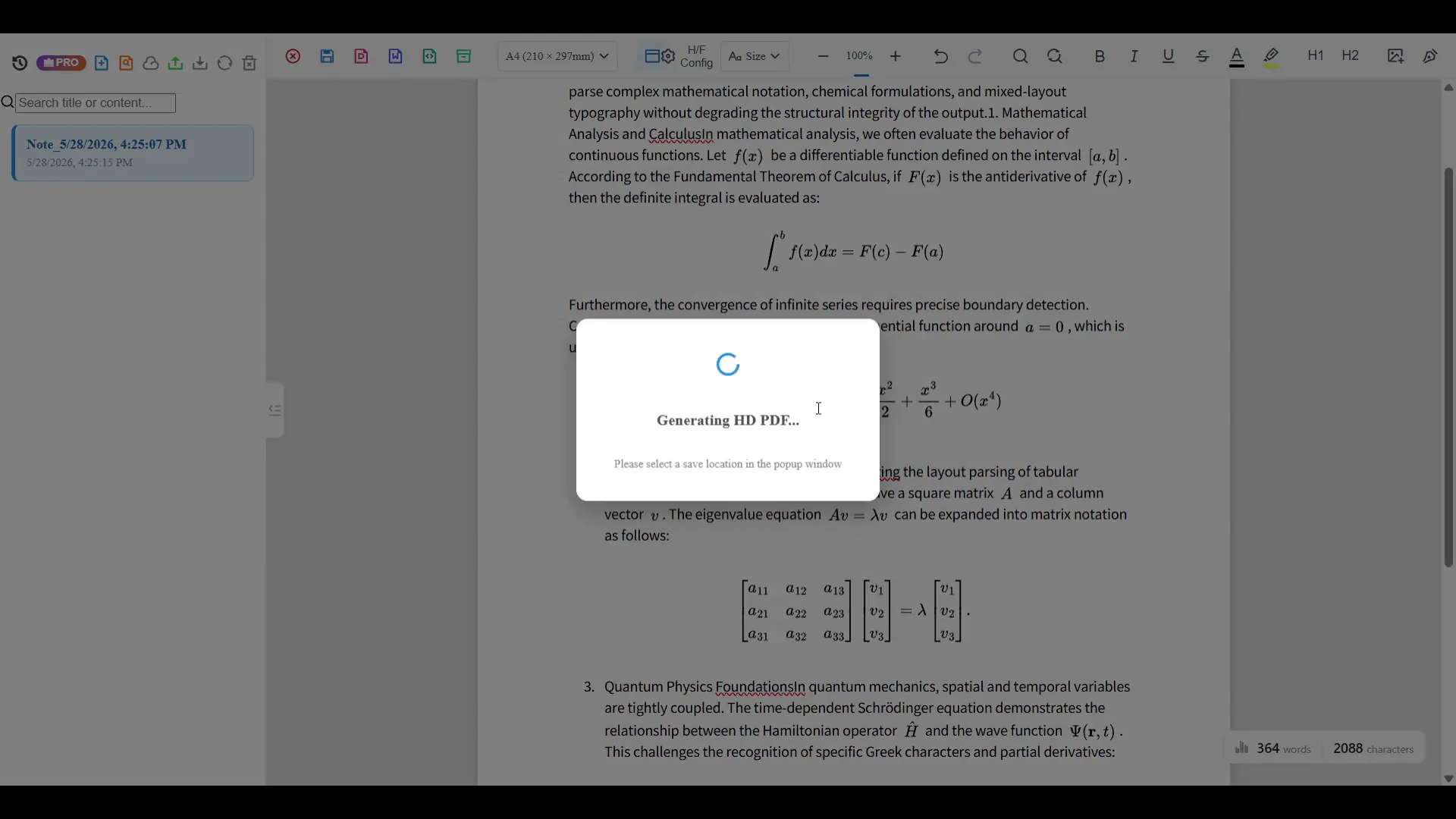
Scanned PDF OCR
Many PDF converters work well when the PDF already contains real text. Scanned math PDFs are different: the page is often just an image, and formulas remain locked inside that image. Offline OCR helps recognize text and equation blocks so the result can be corrected and exported.
Use OCR on PDF pages that contain photos, scans, printed worksheets, handwritten notes, or flattened formula images.
Check page blocks, formula regions, and recognized text before creating the final Word document.
Create Word or PDF output for editing, sharing, archiving, or rebuilding teaching and study material.
PDF type
A normal PDF-to-Word converter works best when the PDF already contains selectable text. A scanned math PDF is different: every page may be just an image. That is why math OCR is needed before the page can become editable.
Why generic PDF converters fail
A generic PDF-to-Word converter may keep equations as screenshots or break the layout around formulas. A math OCR workflow gives you a review step, so you can correct equations, inspect symbols, and decide whether Word, PDF, LaTeX, or text is the right output.
Turn recognized equations into Word-ready content instead of leaving every formula as an image.
Work with OCR blocks on the page so the exported document follows the source more closely.
Export Word for editing, PDF for sharing, LaTeX for math markup, or text for quick extraction.
Workflow
Start with a scanned worksheet, class handout, textbook page, or research note.
Recognize text, formulas, symbols, and page structure.
Check equation blocks, columns, tables, and dense areas before export.
Create an editable Word document, or export PDF when layout preservation matters more.
Best for
Convert printed or scanned worksheets into editable teaching material.
Reuse old handouts without recreating each formula manually.
Extract equations and structured text from formula-heavy documents for review and reuse.
Scan quality
For better Word output, start with a clean PDF page image. OCR quality depends heavily on scan quality, page alignment, and formula size.
Export choice
Choose Word when you need to edit text, rewrite formulas, or reuse material. Choose PDF when preserving the final page layout matters more than continued editing.
Best for editing, rewriting, cleanup, lesson material, study notes, and reusable documents.
Best for sharing, archiving, printing, and preserving a clean visual layout after review.
Best for copying recognized formulas into academic notes, Markdown, and technical documentation.
OCR paths
FAQ
Yes. Upload the scanned page, run OCR, review recognized blocks, and export Word when the result is ready.
Supported formulas can be exported as editable Word equation output. Complex pages may still need correction.
The editor is designed for page-based review and PDF-like export, but dense scans may require manual layout cleanup.
Use Word when you need editing. Use PDF when the final layout matters more than continued editing.
Related OCR workflows
math OCR to Word
Convert scanned math notes, worksheets, and formula images into editable Word documents. Review OCR blocks, correct equations, and export Word, PDF, LaTeX, or text.
free online OCR editor
Try a free OCR editor for math notes, worksheets, and formula images. Review page layout, correct recognized blocks, and export PDF, Word, LaTeX, or text.
OCR math formula
Recognize math formulas from images, screenshots, worksheets, and scanned pages. Extract fractions, matrices, integrals, symbols, and export Word or LaTeX.
offline math OCR
Scan math formulas, notes, worksheets, and documents with local OCR on your device. Keep everyday recognition private, with optional Cloud AI for complex formulas.
Offline OCR: Math to Word